LinkedIn Sales Navigator is revolutionizing the way sales teams approach prospecting and relationship building. With its suite of advanced tools and features, it enables sales professionals to connect with the right people at the right time.
By streamlining lead generation and providing deeper insights into prospects, LinkedIn Sales Navigator has become a powerful tool for modern sales teams. Whether you’re in B2B or enterprise sales, this tool offers a targeted approach that enhances outreach, fosters relationships, and boosts sales success.
Key Features That Make LinkedIn Sales Navigator a Must-Have Tool
LinkedIn Sales Navigator offers several key features that set it apart from traditional CRM tools. These features provide sales professionals with access to in-depth information and advanced search capabilities, enabling them to build targeted lead lists and manage relationships more effectively.
Advanced Search Filters
One of the standout features of LinkedIn Sales Navigator is its robust search functionality. With over 40 advanced search filters, users can find the most relevant leads by narrowing results based on factors like industry, company size, location, role, and even specific keywords within profiles. This precision cuts through the noise, helping you pinpoint prospects that are highly likely to convert.
By refining your search with filters like “years in current position” or “company growth rate,” LinkedIn Sales Navigator ensures you reach out to individuals who are the right fit for your offering. This targeted approach is far more efficient than relying on general outreach methods.
Real-Time Alerts and Notifications
Another powerful feature of LinkedIn Sales Navigator is the ability to set up real-time alerts for key activities, such as a lead changing jobs, posting on LinkedIn, or commenting on relevant industry topics. These timely notifications allow you to engage with prospects at the right moment, significantly increasing the chances of a meaningful conversation.
With Sales Navigator, you’ll never miss a significant opportunity. Alerts are automatically delivered via email or within the platform, so you can act quickly when something important happens in your leads’ professional lives.
Why LinkedIn Sales Navigator Is Crucial for Modern Sales Teams
Building Meaningful Relationships Through TeamLink
One of the biggest challenges in sales is getting access to decision-makers. LinkedIn Sales Navigator’s TeamLink feature helps bridge this gap. It shows you if anyone in your organization is connected to a prospect or decision-maker, allowing you to leverage those connections for warm introductions.
By leveraging your company’s collective network, TeamLink enables you to establish credibility quickly and bypass traditional gatekeepers. This feature makes LinkedIn Sales Navigator invaluable for teams that rely on network connections to open doors and initiate sales conversations.
Enhanced InMail Messaging for Direct Outreach
LinkedIn Sales Navigator also provides users with a set number of InMail credits, allowing for direct outreach to individuals who are not yet connections. Unlike regular LinkedIn messaging, InMail messages are designed to stand out in crowded inboxes, increasing your chances of getting noticed.
With customizable InMail templates and the ability to track open rates, Sales Navigator makes it easier to optimize outreach strategies. Whether you’re reaching out to a cold prospect or re-engaging a warm lead, InMail enables you to craft targeted messages with high relevance and personal appeal.
Using LinkedIn Sales Navigator for Account-Based Selling
Why Account-Based Selling Works
Account-based selling (ABS) is a highly targeted sales strategy that focuses on individual accounts rather than broad-based prospecting. LinkedIn Sales Navigator is built with ABS in mind, offering tools that make it easier to identify and engage with high-value accounts.
By building custom lead and account lists in Sales Navigator, sales teams can stay organized and aligned in their approach to each account. The ability to tag and track accounts enables sales professionals to develop personalized outreach campaigns that target multiple decision-makers within an organization.
Organizing Account Lists and Managing Outreach
LinkedIn Sales Navigator enables you to create Account Lists, making it easy to track the accounts you’re targeting. These lists allow you to categorize accounts based on their potential, stage in the buying cycle, or any other relevant criteria.
Furthermore, with Sales Navigator’s CRM sync capabilities, all interactions and updates are automatically captured and recorded. This streamlines communication between teams, ensuring that everyone is aligned on the status of each account.
Sales Navigator Account-Based Selling Workflow
| Step | Action | Outcome |
|---|---|---|
| Create Account Lists | Group your target accounts based on criteria (e.g., industry, revenue size) | Enables focused targeting and tailored outreach |
| Track Key Decision-Makers | Identify and engage with multiple stakeholders within each account | Increases touchpoints and the likelihood of a deal |
| Sync with CRM | Automatically update your CRM with new interactions and lead status | Keeps team members aligned and up-to-date |
The workflow described in the table highlights how Sales Navigator optimizes the process of account-based selling, ensuring that sales professionals can track, manage, and engage with the right accounts in a structured manner.
The ROI of LinkedIn Sales Navigator: Why It Pays Off
Measuring LinkedIn Sales Navigator’s Impact on Sales
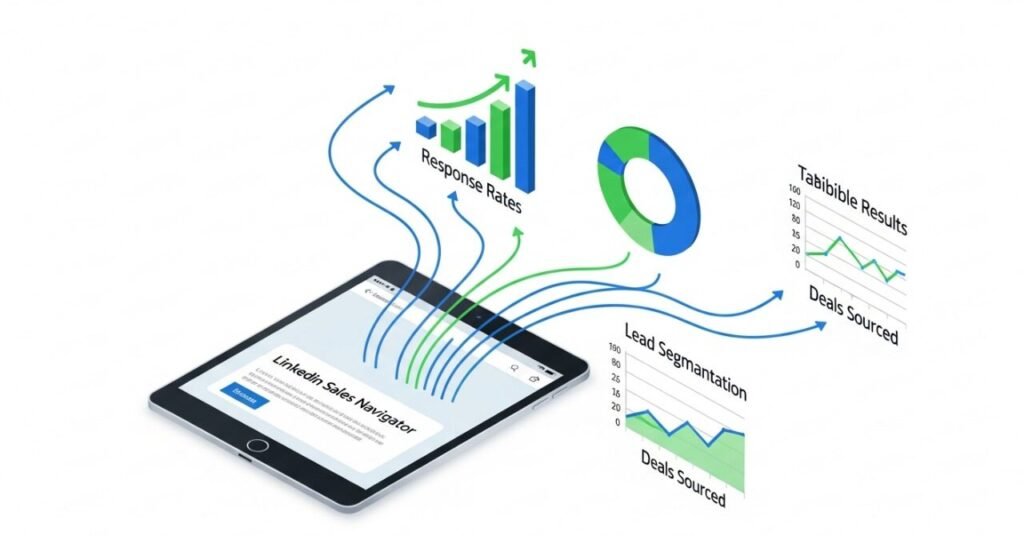
The effectiveness of LinkedIn Sales Navigator is best measured by tracking key metrics such as lead conversion rates, pipeline velocity, and the average deal size of Navigator-sourced opportunities. Teams using Sales Navigator consistently report higher win rates, shorter sales cycles, and larger deals.
A study by LinkedIn found that Sales Navigator users experienced a 20% increase in conversion rates and a 40% improvement in sales cycle efficiency. These numbers demonstrate the undeniable value of utilizing a targeted platform that streamlines prospecting and enhances the quality of your outreach.
Improving Team Productivity and Collaboration
Sales Navigator not only improves individual sales performance but also enhances team collaboration. With shared accounts and lead lists, multiple team members can contribute to the same account-based campaigns without duplicating efforts. The ability to track metrics and see which strategies are working fosters a more collaborative environment that accelerates results.
Best Practices for Getting the Most Out of LinkedIn Sales Navigator
Consistent Engagement with Lead Lists
One of the best ways to maximize the value of LinkedIn Sales Navigator is through regular engagement with lead and account lists. Set aside time each day to reach out to your saved leads, follow up with InMails, and monitor activity on your accounts. This consistent engagement ensures you stay on top of new opportunities and don’t miss critical engagement windows.
Personalization at Scale
While LinkedIn Sales Navigator offers automated tools, personalization remains a key factor. Use insights from your lead’s profile and recent activity to personalize your outreach. Mention mutual connections, specific job changes, or industry news in your outreach messages to establish a personal connection. This level of personalization builds trust and significantly increases the likelihood of a response.
Crafting the Personalized Outreach Message
Advanced prospecting is only half of the equation. The other half is personalized communication. Generic “spray and pray” messages damage your professional reputation. Sales Navigator provides the contextual clues for personalization. You can reference a prospect’s recent post, job change, or shared connection.
Mention a company’s latest product launch in your InMail. Congratulate a prospect on a work anniversary or promotion. This demonstrates genuine interest and effort. It shows you did your homework before making contact. This personalized approach significantly increases response rates.
- Actionable Step: Use the “Tell a story” field in your Saved Account list. Note a recent trigger event for each target. This keeps your outreach context fresh and relevant.
Building a Reliable Sales Intelligence System
Sales Navigator functions as a live sales intelligence platform. The real-time updates provide a strategic advantage over competitors. You can see when key decision-makers change roles. This often opens the door to a new conversation with a vendor. Tracking company growth signals potential budget increases.
The platform also reveals shared connections and group affiliations. A warm introduction is far more effective than a cold call. You can leverage these shared points of contact. This builds immediate credibility and trust with your new prospect.
Conclusion
Sales Navigator has redefined how sales professionals prospect, engage, and close deals. With advanced search capabilities, real-time alerts, and CRM integration, it helps sales teams focus their efforts on high-value leads and accounts. Whether you’re working in B2B, enterprise, or account-based sales, LinkedIn Sales Navigator offers the tools you need to build more meaningful relationships and drive revenue growth.
By incorporating LinkedIn Sales Navigator into your sales strategy, you position yourself to close more deals, build stronger relationships, and increase your sales efficiency. To maximize these benefits, ensure consistency in your usage and utilize the platform’s features to their full potential. Visit www.careersfame.com for additional tips and resources on using LinkedIn Sales Navigator effectively.
FAQs
How does LinkedIn Sales Navigator help improve lead targeting?
LinkedIn Sales Navigator offers over 40 advanced filters, enabling sales professionals to target the most relevant leads based on factors such as job title, company size, industry, and location. This makes the process of finding high-quality leads more efficient and effective.
Can I integrate LinkedIn Sales Navigator with my CRM?
Yes, LinkedIn Sales Navigator can be integrated with popular CRMs, such as Salesforce, making it easy to sync your leads and account information. This ensures that your sales data is always up-to-date and accessible for your team.
What is TeamLink, and how does it benefit sales teams?
TeamLink is a feature that shows connections within your organization to potential leads or decision-makers. It allows you to leverage your company’s network to make warm introductions and gain access to high-value prospects.
How do I track performance on LinkedIn Sales Navigator?
Sales Navigator provides reporting features that track key metrics, including InMail open rates, lead conversions, and account engagement. These insights help you adjust your strategy and improve the effectiveness of your outreach efforts.
Is LinkedIn Sales Navigator worth the investment?
LinkedIn Sales Navigator offers significant value by enhancing lead quality, boosting engagement, and reducing sales cycles. Its ROI is clear for many sales teams, with improved conversion rates and larger deals.